Internet Parental Control Software
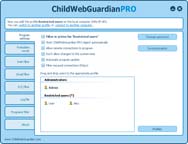
ChildWebGuardian PRO is filtering software designed to provide Internet child safety. This program keeps track and checks the content of every web-page the child browses. If the program finds some
obscene content (characteristic of pornography, violence, religious sects, etc.), ChildWebGardian PRO will immediately block viewing such pages.
ChildWebGuardian PRO is a whole software package that is integrated in the system and consists of some controlling functions. Such as content filter, porn blocker, parental control, URL blocking, Internet access blocking, games control. Each of these functions forms an obstacle in the way of obscene information from the Internet. And before your child sees any page, it is checked by all those functions.
The program will satisfy all your requirements and wishes about Internet parental control and games control. You can easily configure the program for pornography blocking, blocking sites with violence scenes, filtering sites that popularizes drugs, to filter the gambling games, the questionable religious sects and other forbidden materials. ChildWebGuardian PRO will filter the content of every visited and viewed pages. You can allow visiting sites only from the 'White list' and forbid sites from the 'Black List', allow Internet using only in certain days and hours, write in the special log file what sites your childs visited and receive this log by email.
To block the use of some programs/games, you can use the 'Games Control' function in the program. This function allows you to control the using of any programs/games in a specified by you days and time
The principle of the ChildWebGuardian PRO internet-filter work has a prominent advantage over the usual way most of the similar software functions. Most of such programs check only the URL of the requested page for being in the database of "indecent" addresses. This way of filtering is not effective for there appear hundreds of new sites every minute. Unlike other programs, ChildWebGuardian PRO has functions that allow analyzing the page content itself. That is why even if your child comes across a newly appeared site with obscene content, ChildWebGuardian PRO will stop him from viewing this site anyway. Родительский контроль
Изучение таблицы умножения
System requirements
MS Windows XP, Windows Vista, Windows 7, Windows 8, Windows 10
x32 and x64 |

![[SCREENSHOTS]](/img/menu/screenshot.gif)
![[WORK DEMONSTRATION]](/img/menu/workdemonstration.gif)
![[NETWORK FUNCTIONS]](/img/menu/networkfunctions.gif)
![[LOCALIZATION]](/img/menu/tellafriend.gif)
![[TECH. SUPPORT]](/img/menu/techsupport.gif)